
How To Declare for a Swim Meet
All Swim Meets are OPEN for you to declare your swimmers. Even if you are not going to be at a meet, you must let us know they are "not attending". All swim meet declarations close Tuesday at Midnight before the meet on Thursday. Please Declare for the Mock Meet before Tuesday at Midnight. Below is step by step instructions on how to declare for a swim meet Using the App on your phone:
1. Download the Swimtopia App from the App Store onto your phone!
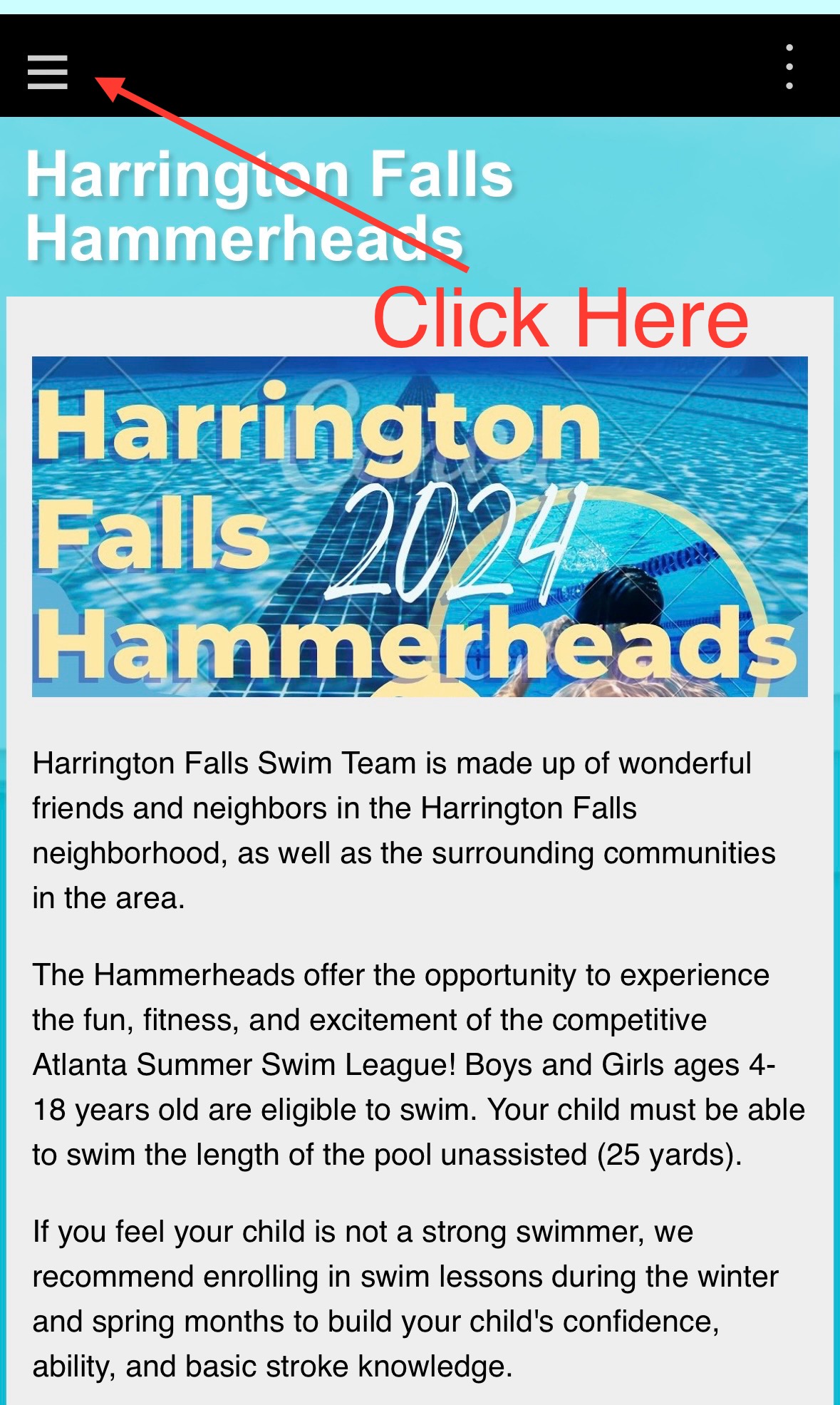
2. On Our Homepage, go to the "hamburger"
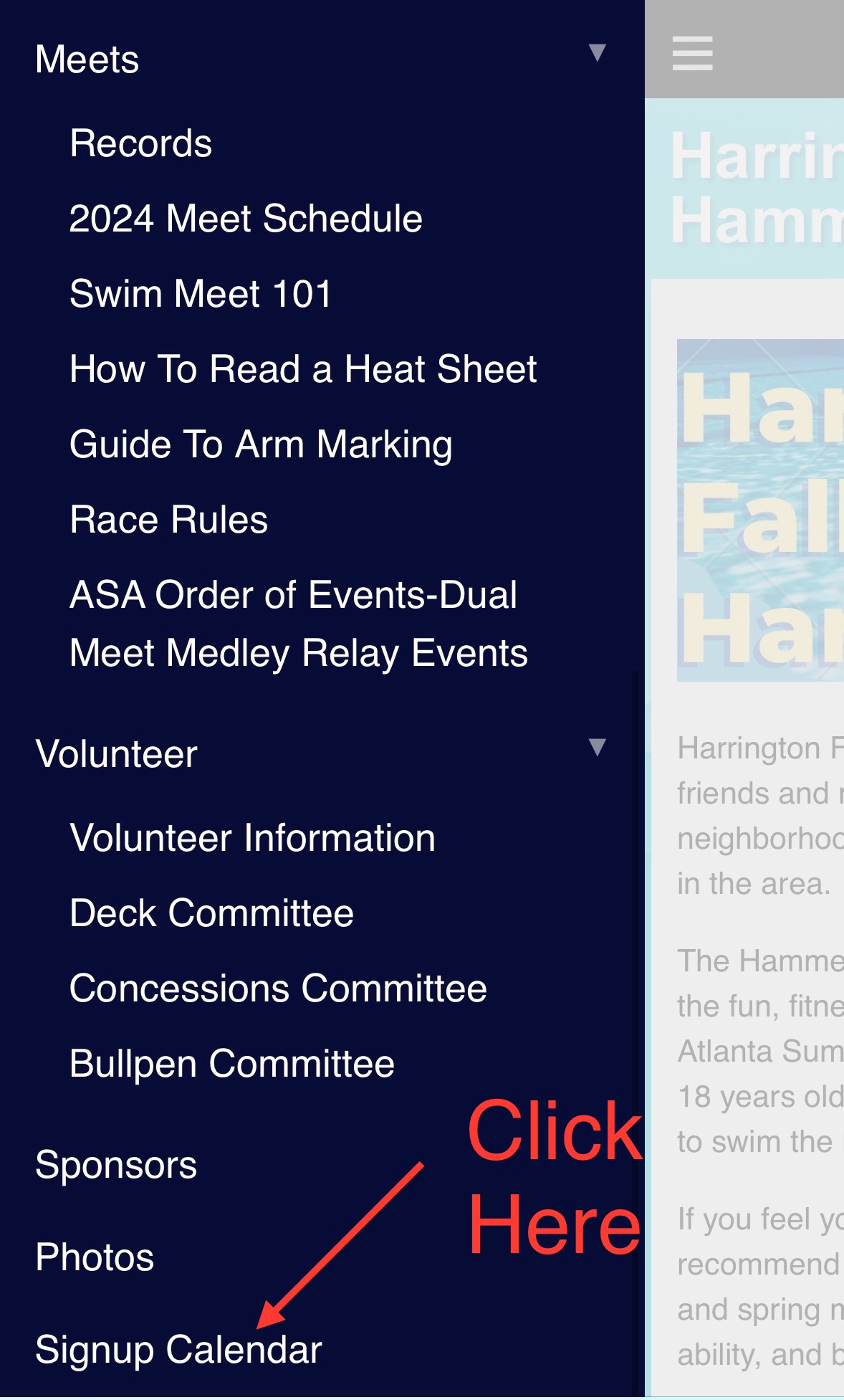
3. Go all the way to the bottom to "SignUp Calendar"
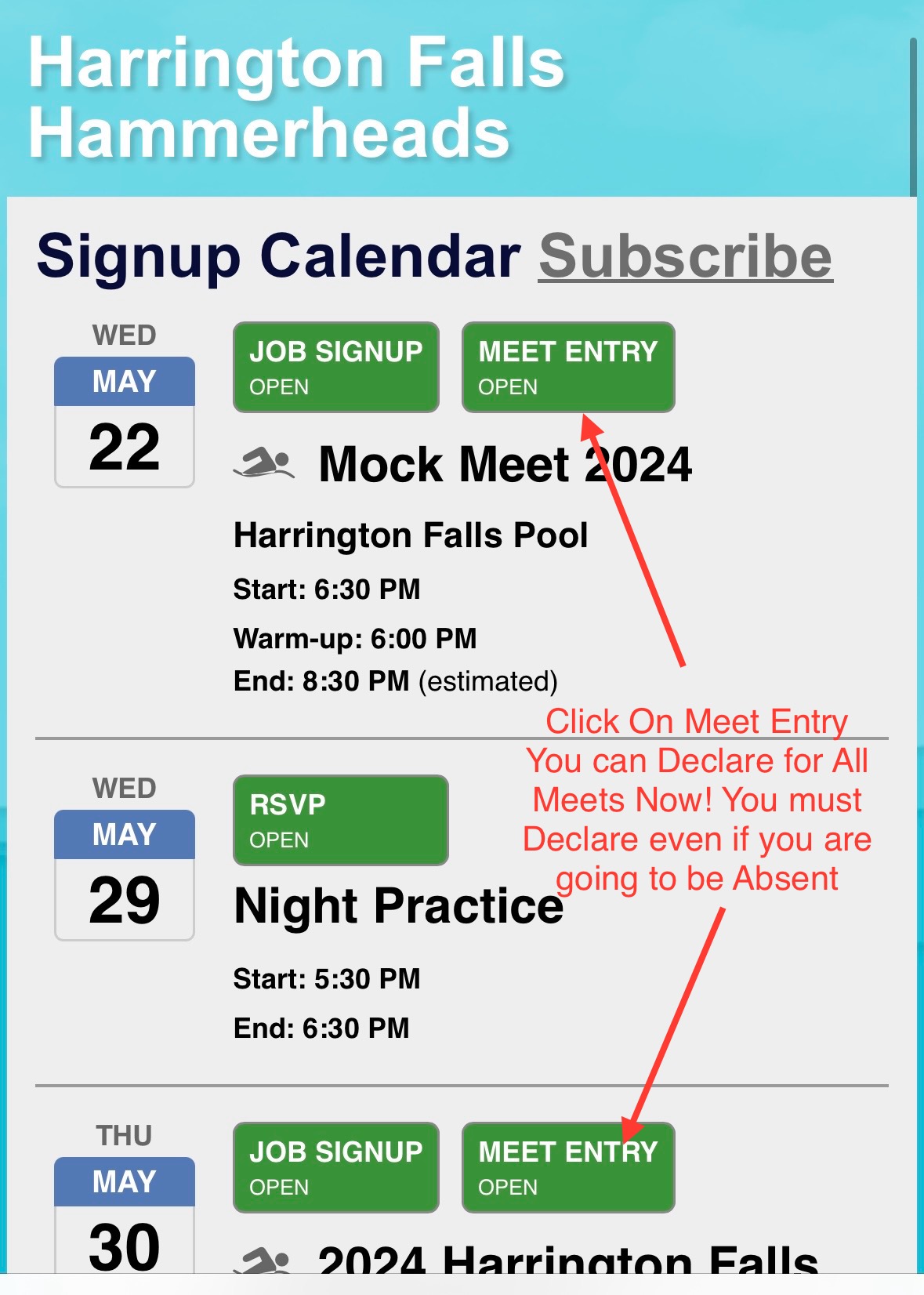
4.Click on the Meet. You can now declare for the entire season. You must declare even if you are not attending a meet.
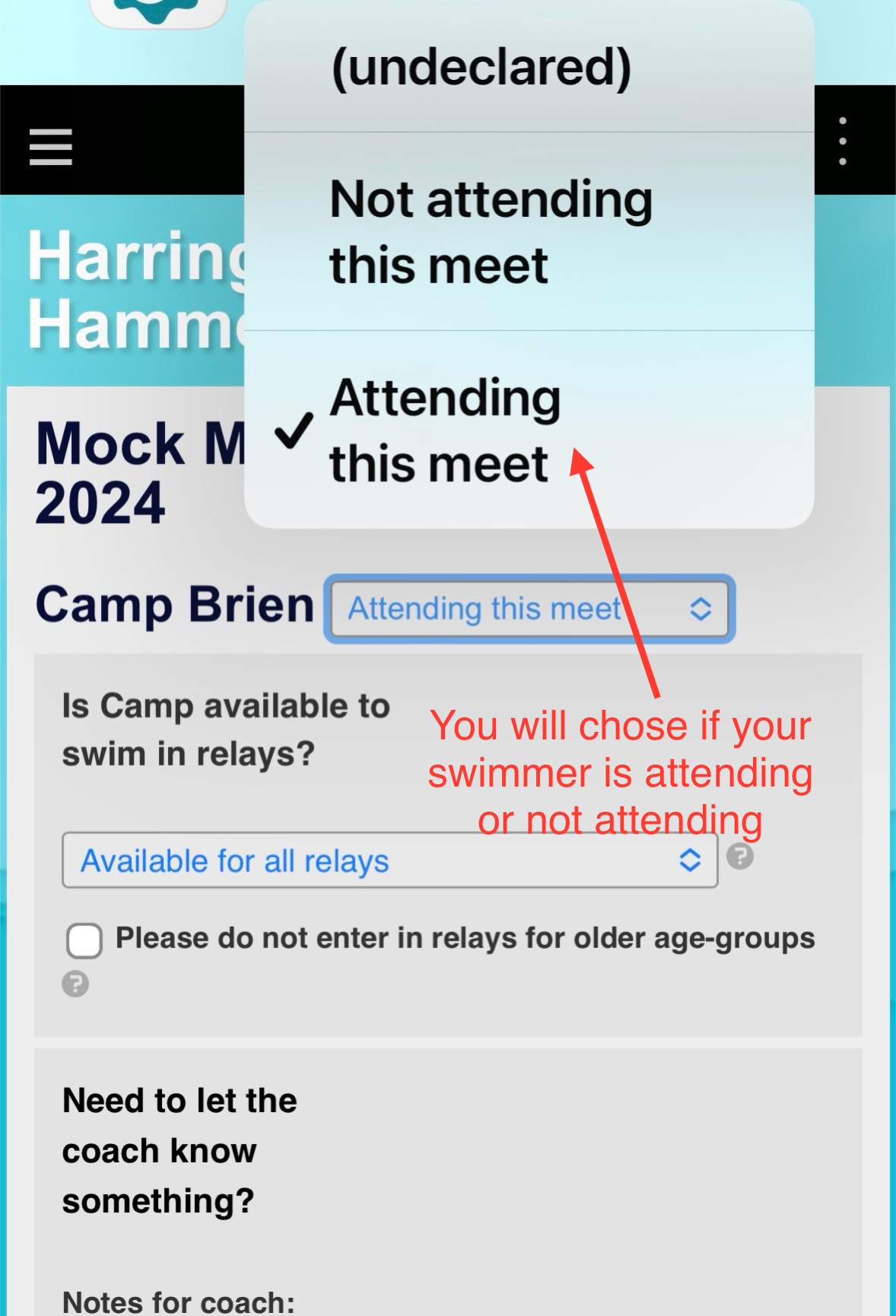
5. Chose whether your swimmer is "attending" or "not attending" the meet.
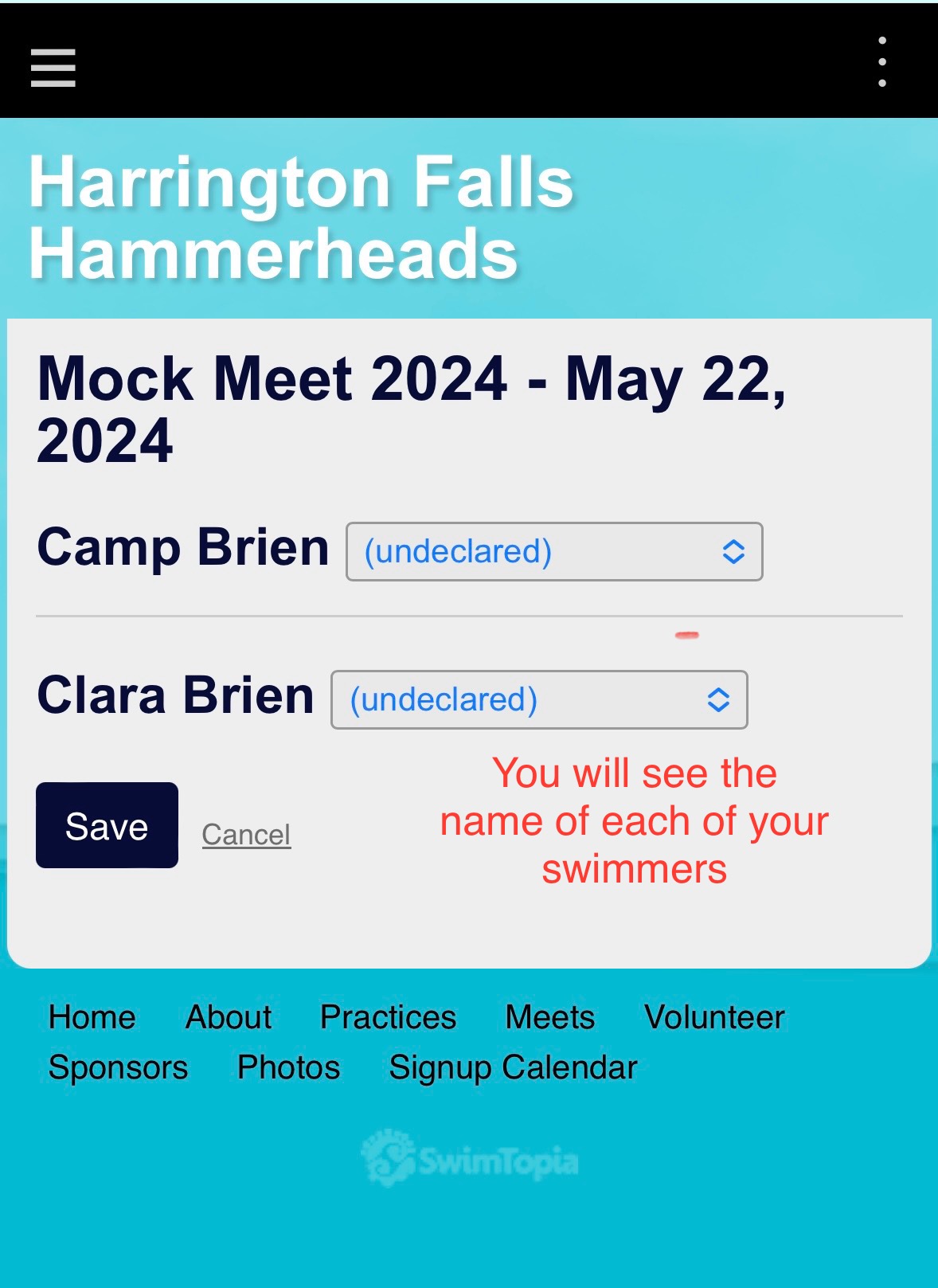
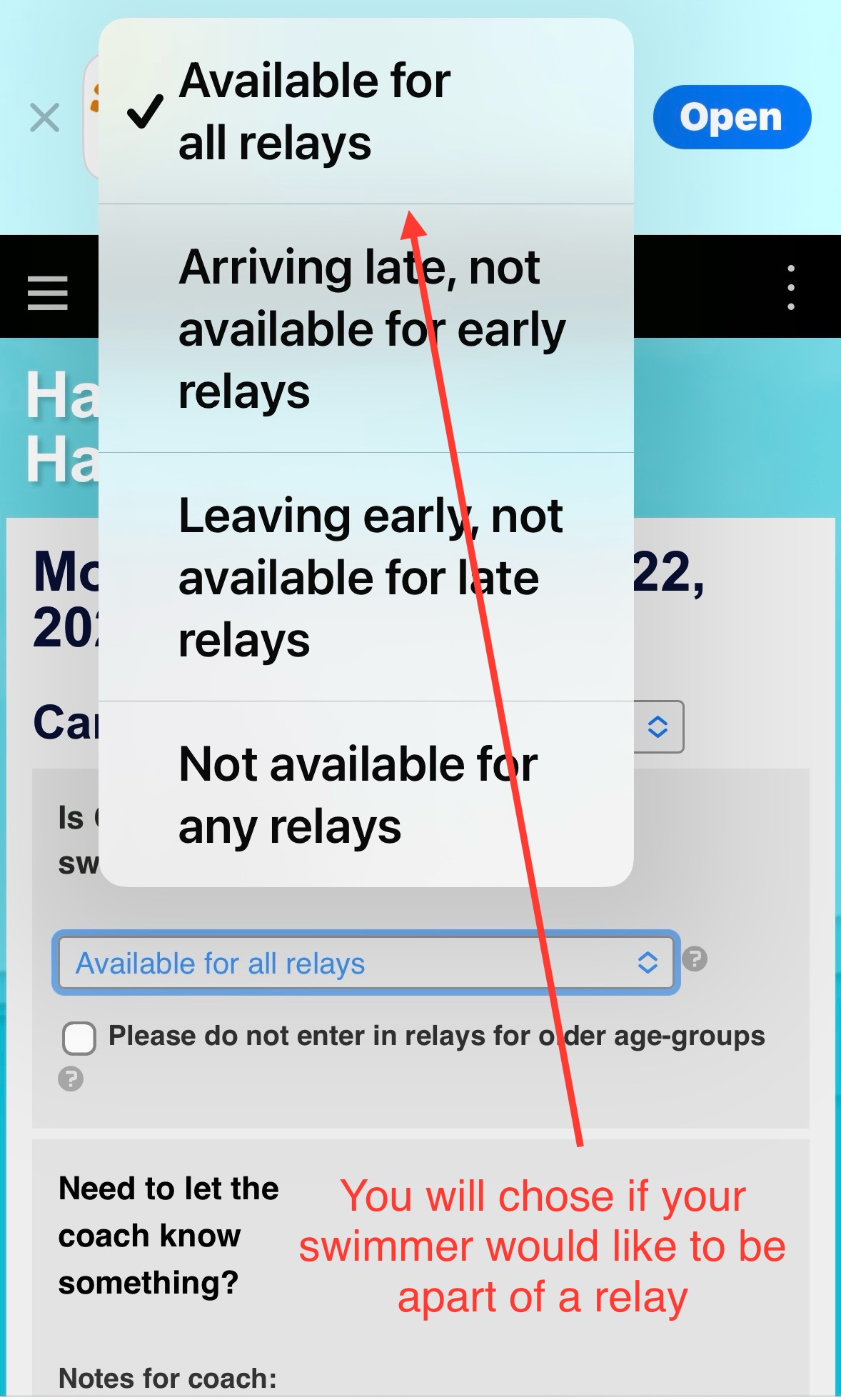
6. You can choose if you want your swimmer to swim in relays.
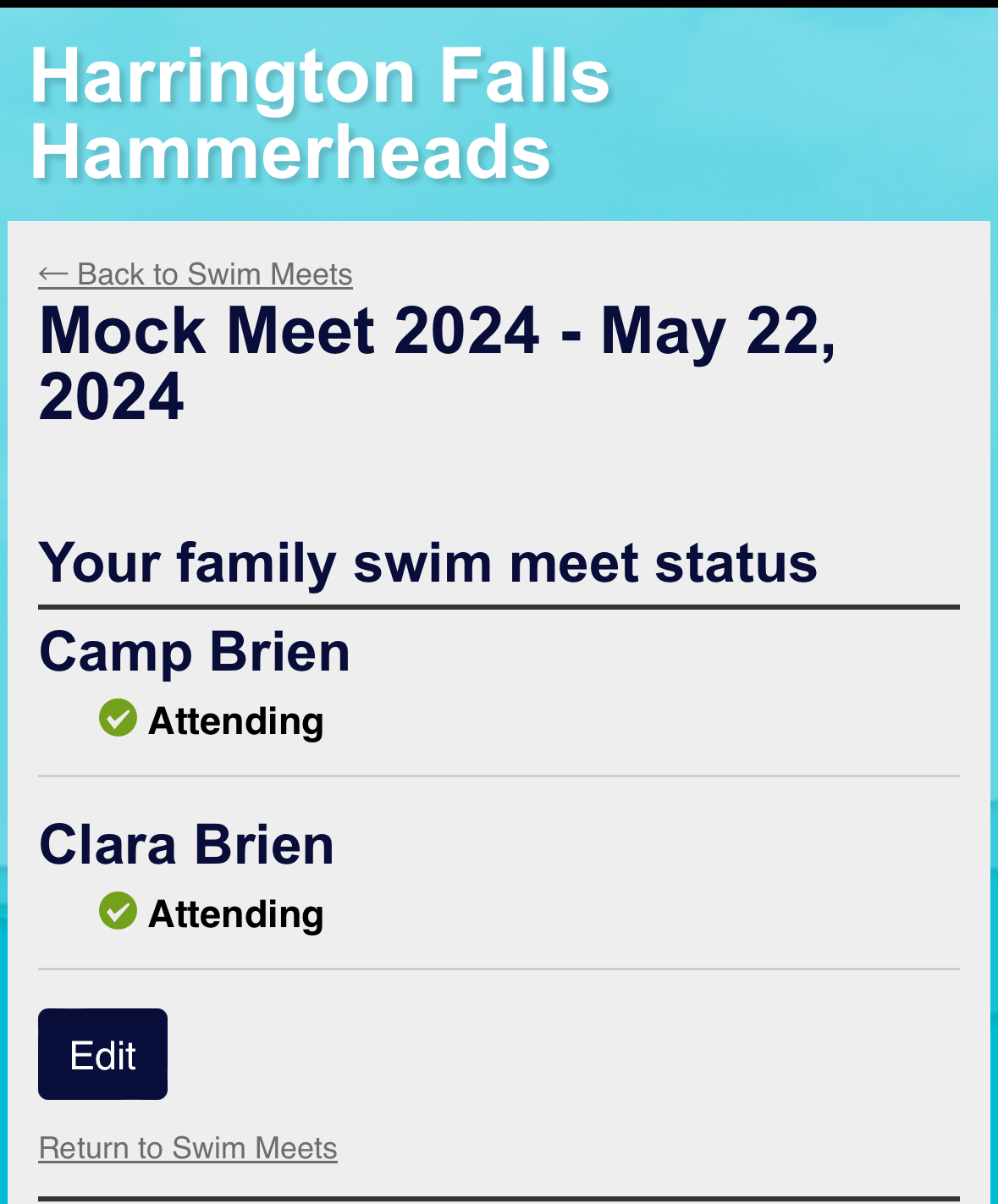
7. You will see confirmation that your swimmer is attending or not attending.
Please let Head Coach Gabby or Team Parent Rep Nicole Brien know if you have any questions.


