
How to Declare for a Swim Meet
Dear Hammerheads Families,
It’s time to declare your swimmers for the season! All swim meets are now OPEN for declarations. Even if your swimmer will NOT be attending a meet, you must still log in and mark them as "Not Attending."
Important Reminder: Declaration for the First Swim Meet will CLOSE at 2pm on Tuesday, May 26th! Declarations for each Thursday meet will close the Tuesday before at 2pm.
Here’s How to Declare using the SwimTopia App on your phone.
Please Note: The example pictures shown are from last season (2024). Please use them as a reference for navigating the app only—do not rely on the dates shown in the images, as they do not reflect this season’s schedule.
If you have any questions, reach out to Head Coach Bria (404) 309-8982 or Assistant Coach Rose (404) 956-1722
1. Download the Swimtopia App from the App Store onto your phone! (If you haven't Already)
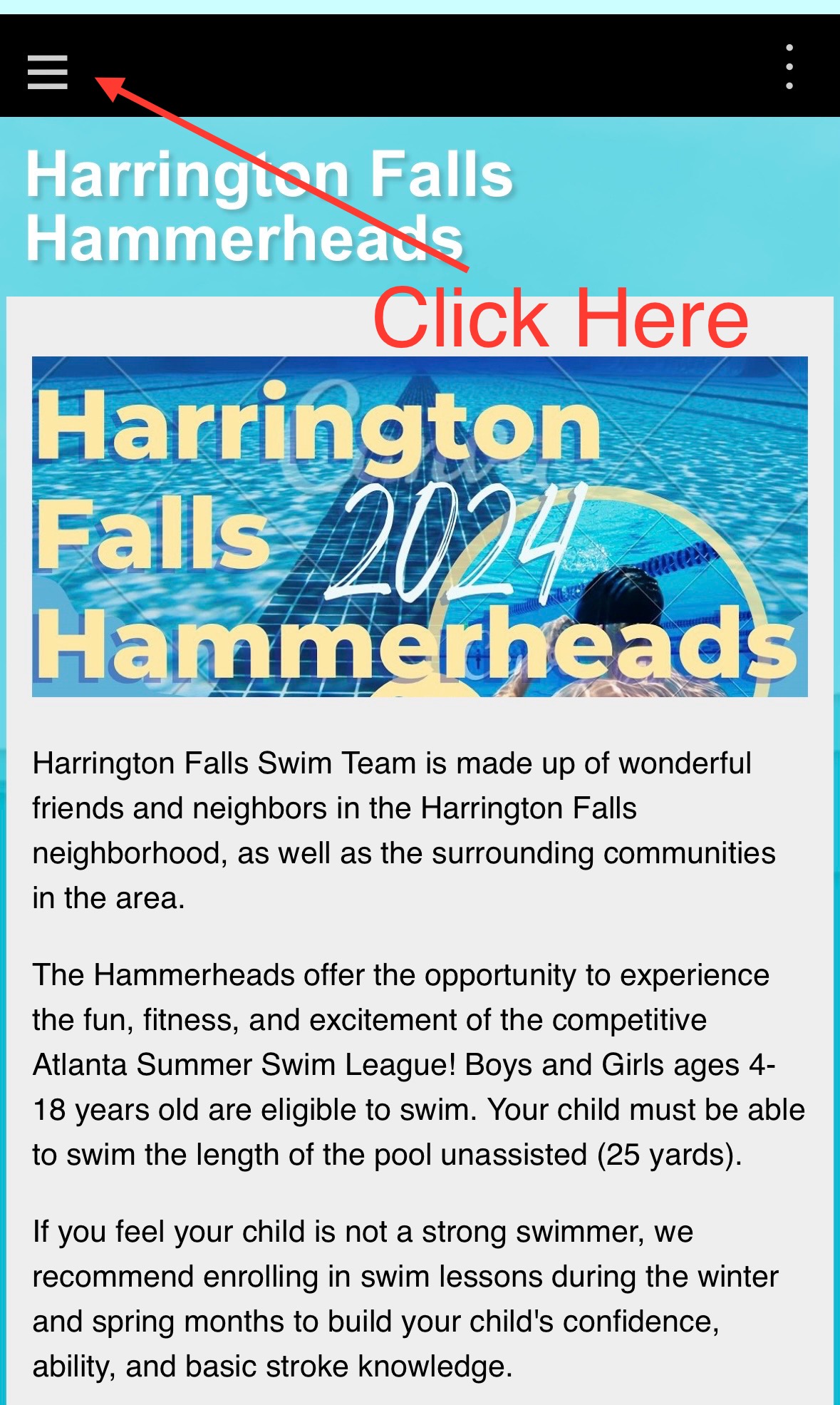
2. Open the app and tap the menu icon (three lines/hamburger) in the top corner.
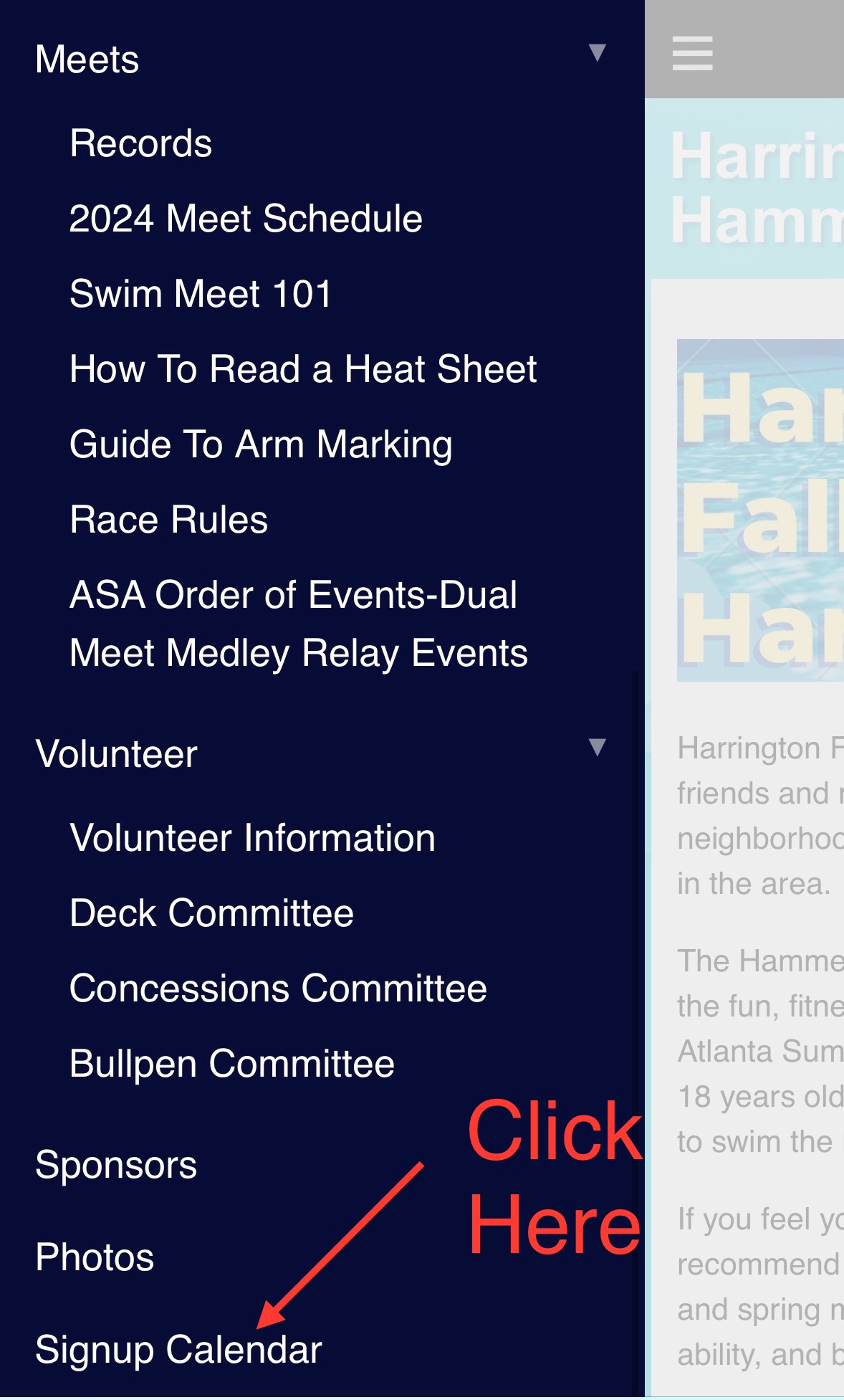
3. Scroll all the way down to “SignUp Calendar.”
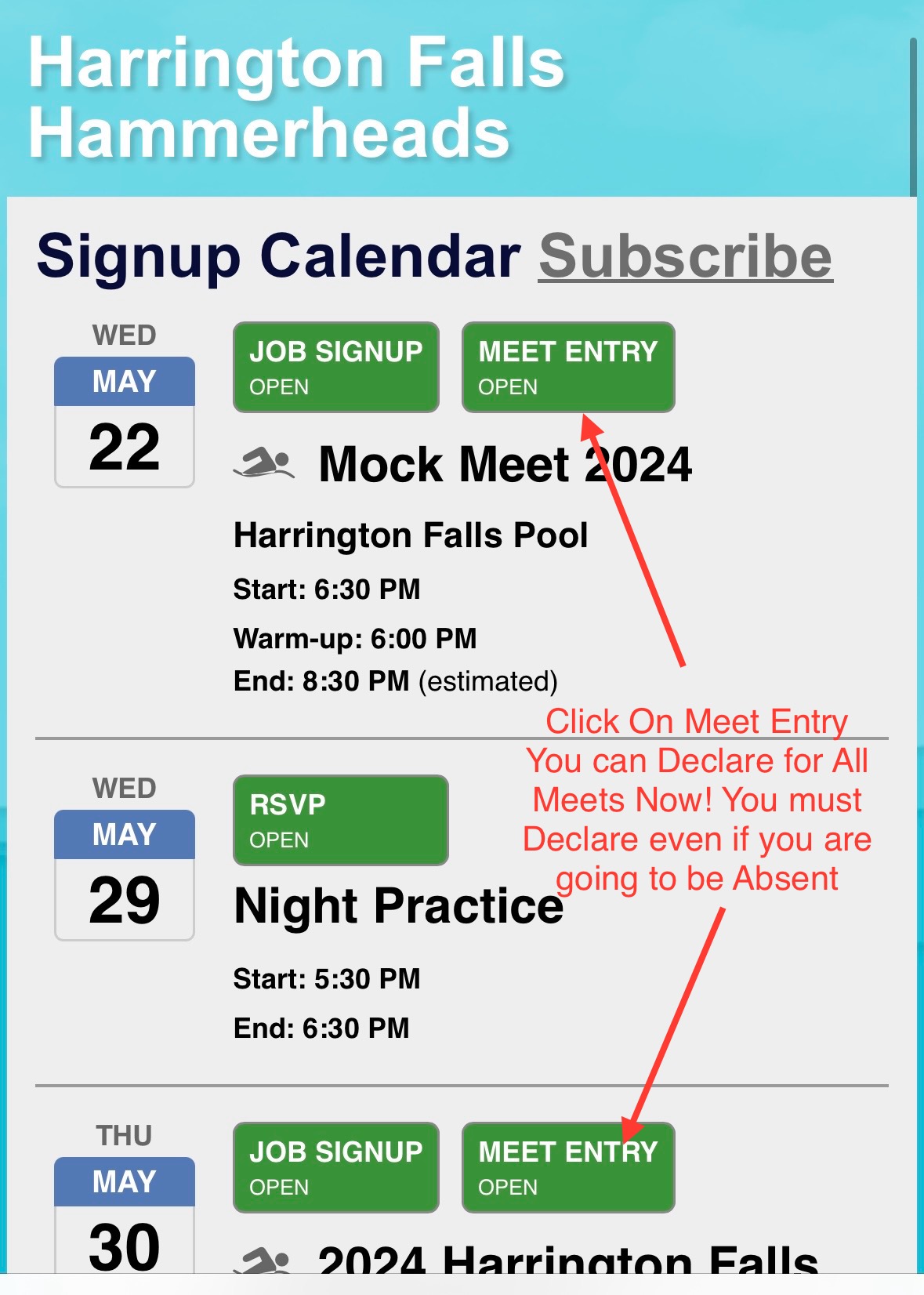
4. Tap the meet you'd like to declare for (you can do the whole season at once!).
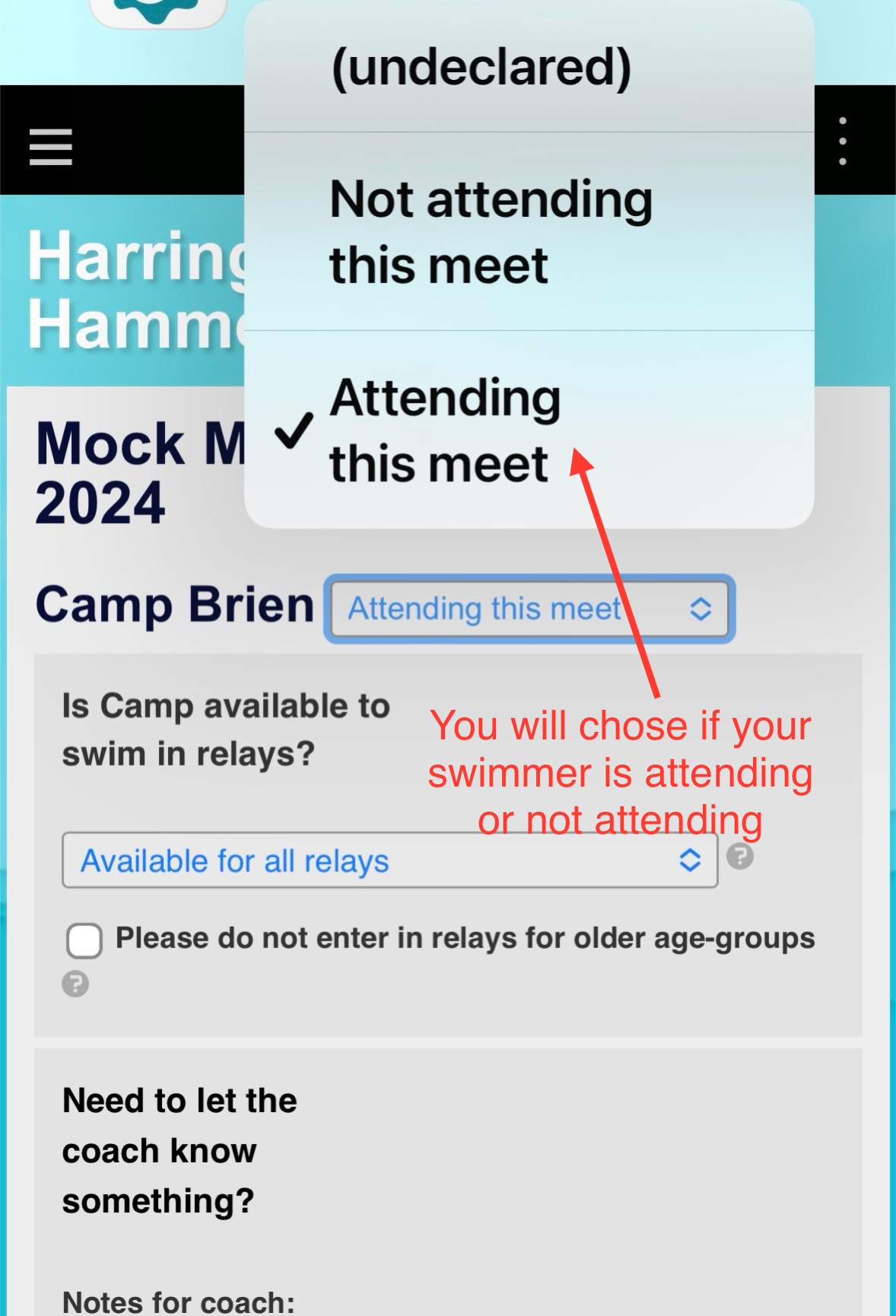
5. Choose if your swimmer is “Attending” or “Not Attending.”
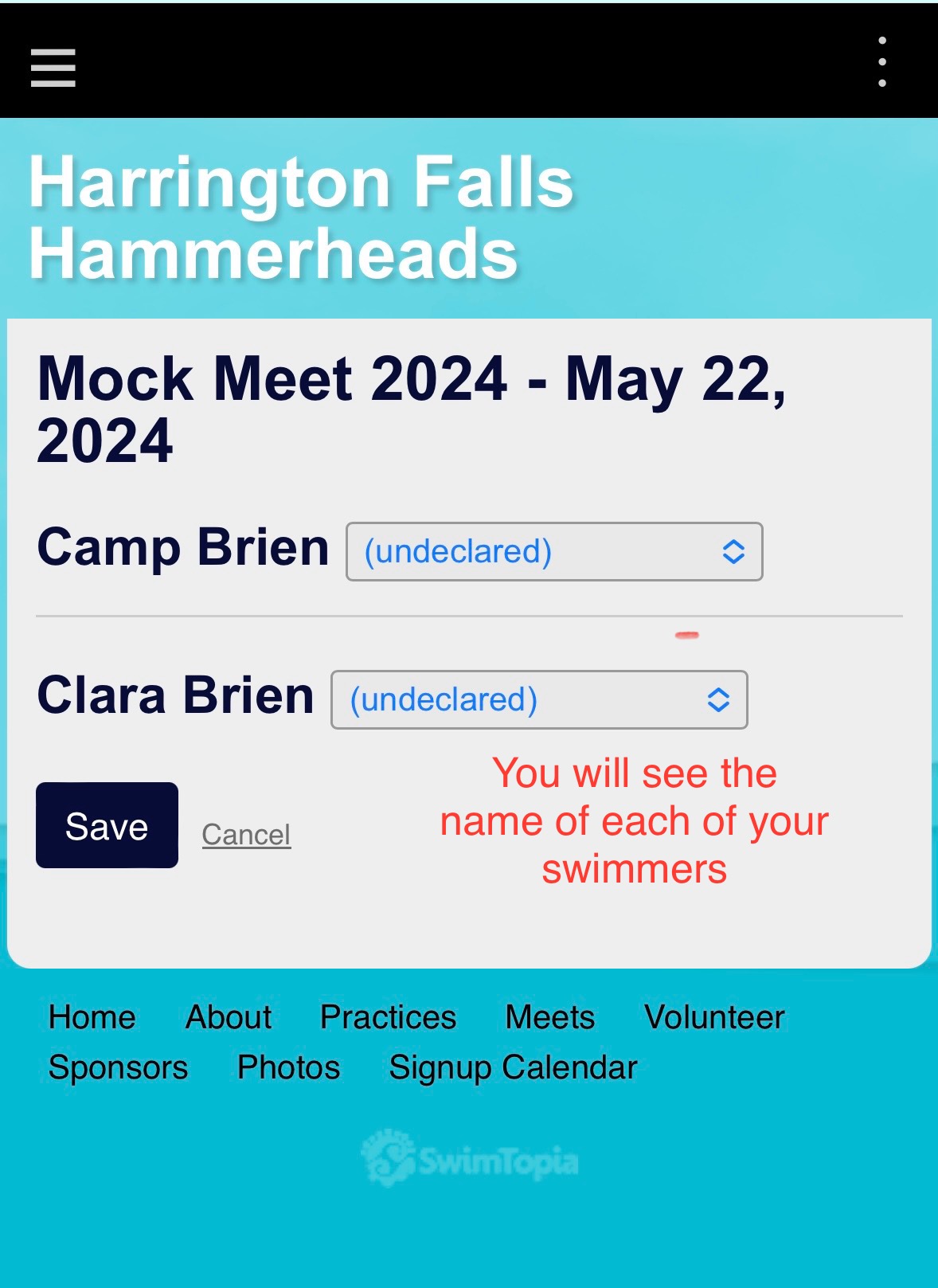
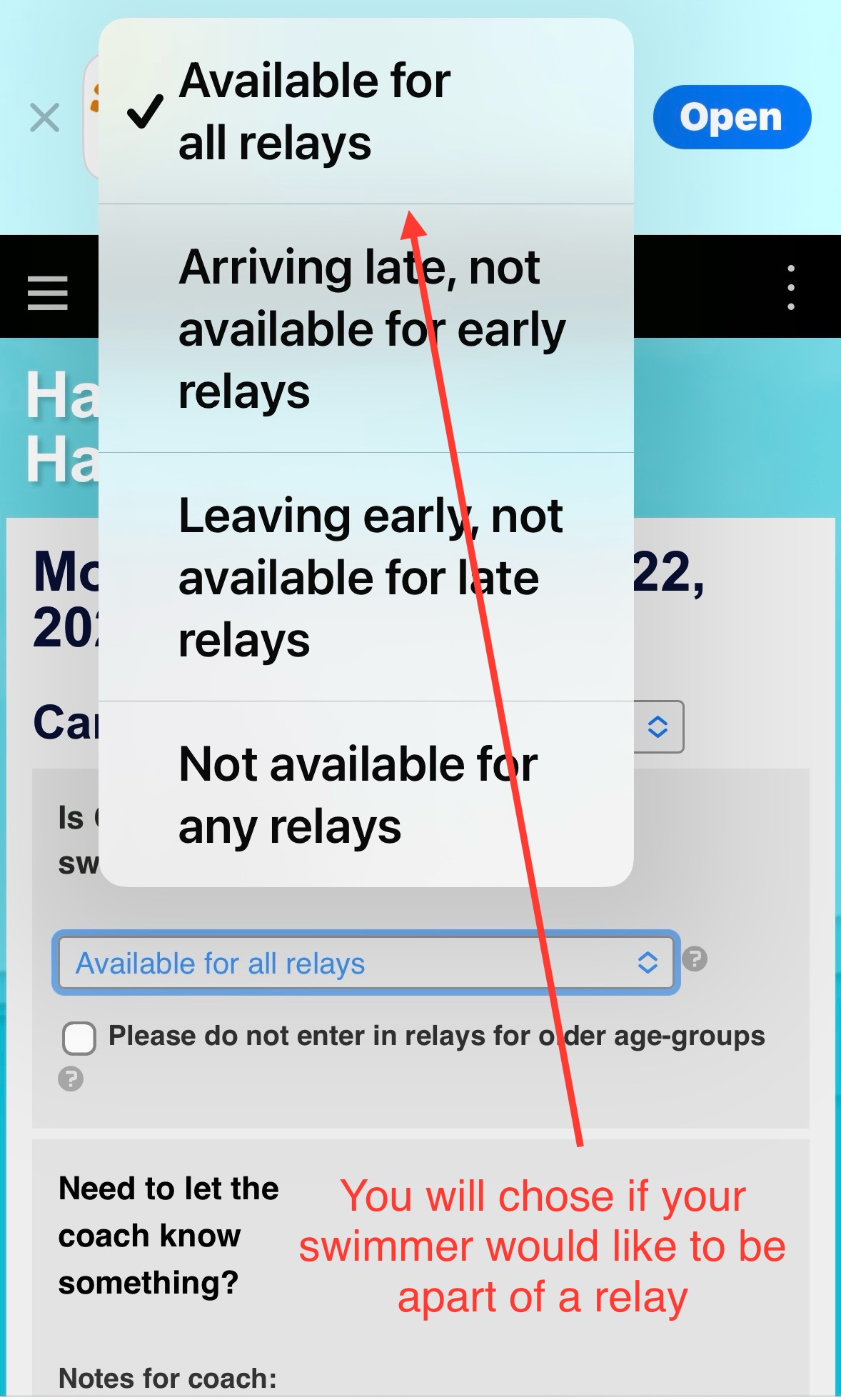
6. You can also indicate if your swimmer is available for relays.
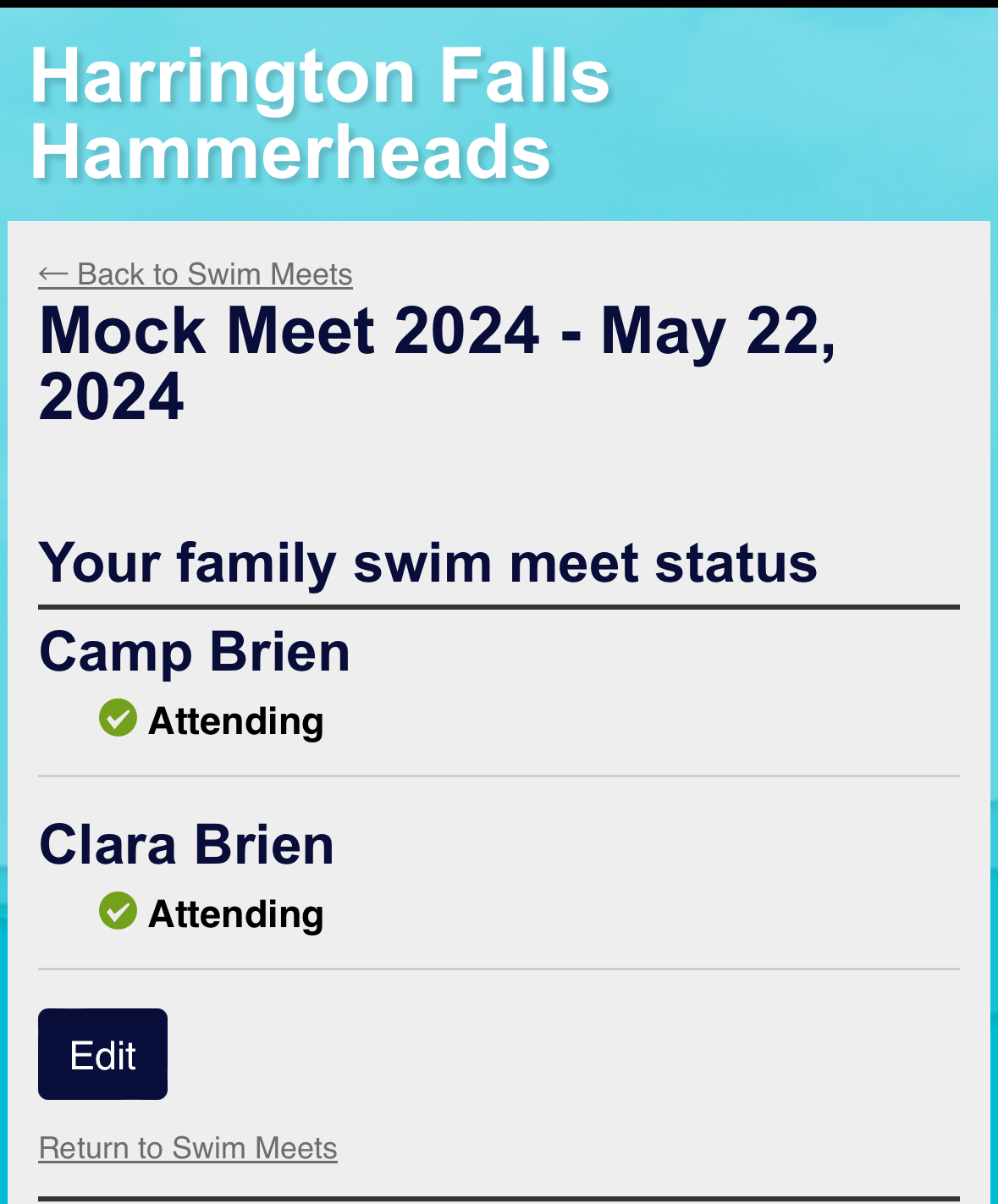
7. You’ll see confirmation once your selection is saved.
Powered


